
Introduction
Walk into most optical practices and you'll spot a screen somewhere near the waiting area. Often, it's just running a muted news channel or a generic slideshow nobody remembers uploading. A digital signage dashboard turns idle screens into tools for patient communication, product discovery, and staff coordination.
Most practices already have the hardware. What they lack is strategy: no content plan, no readable layout standards, and no clear owner for what plays on screen. Fewer than 5% of optical retailers currently have proper signage throughout their facility, according to OMG!'s internal merchandising research.
This guide covers what a digital signage dashboard actually means, how optical practices can use one, how to design it well, and how to implement it without creating a maintenance headache.
Key Takeaways
- "Digital signage dashboard" can mean the software control panel, the on-screen display, or a live data feed
- Design each screen around one audience, one location, and one action
- Coordinate screen content with merchandising, lighting, and fixtures for a cohesive feel
- Assign ownership, privacy review, and a measurement process before going live
- Pilot one or two screens before rolling signage out practice-wide
What Is a Digital Signage Dashboard?
A digital signage dashboard is a screen-based communication system, or the software interface used to control what appears on that screen. A looping PowerPoint on a TV is not digital signage. Samsung's own digital signage guide defines signage simply as a digital screen used in place of an analog sign, with content management software handling uploads, scheduling, and distribution.
The term gets used loosely because it covers three distinct things:
- A content management dashboard: the staff-facing interface used to upload, schedule, and publish what patients see
- A customer-facing dashboard: the actual layout patients view, showing frame stories, promotions, or educational content
- A live data dashboard: a screen pulling in changing information from another system, like estimated wait times
Contentlinq, OMG!'s digital signage platform, handles the first of these through browser-based asset management, so a practice can build playlists without touching the hardware.
How It Differs From a Poster or a BI Dashboard
A static poster doesn't update itself, doesn't rotate messages, and can't be changed remotely. A standard business intelligence dashboard, by contrast, is usually internal-only and built for analysis, not persuasion. Optical signage sits between the two: public-facing like a poster, but centrally managed and updateable like a BI tool.

A basic signage system includes:
- A commercial-grade display or compatible screen
- A media player or built-in system-on-chip processor
- Signage software for scheduling and publishing
- A network connection
- Content, plus a workflow for approving and retiring it
OMG!'s Contentlinq Media Player, for example, is a $329.95 adapter that converts an existing TV into a cloud-managed display, paired with a monthly subscription starting around $17.95–$19.95 per device.
How Optical Practices Can Use Digital Signage Dashboards
Different screens serve different purposes depending on where a patient stands and how long they'll be looking at it.
Window and Entrance Screens
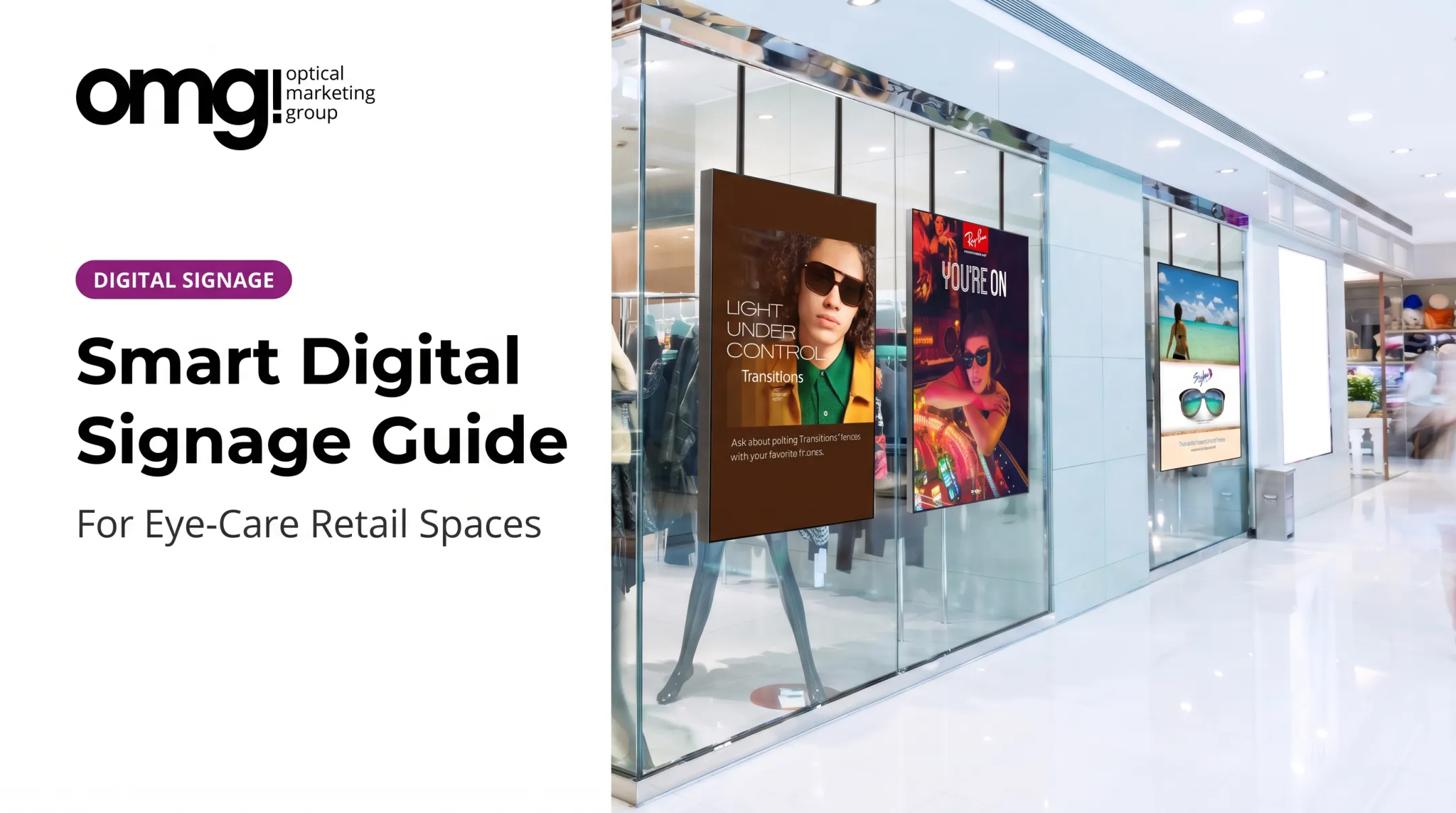
Entrance displays build curb appeal without cluttering the storefront. A 55-inch ultra-bright window TV, built for full-sunlight visibility, can rotate seasonal campaigns, new eyewear collections, or a simple invitation to explore the optical area.
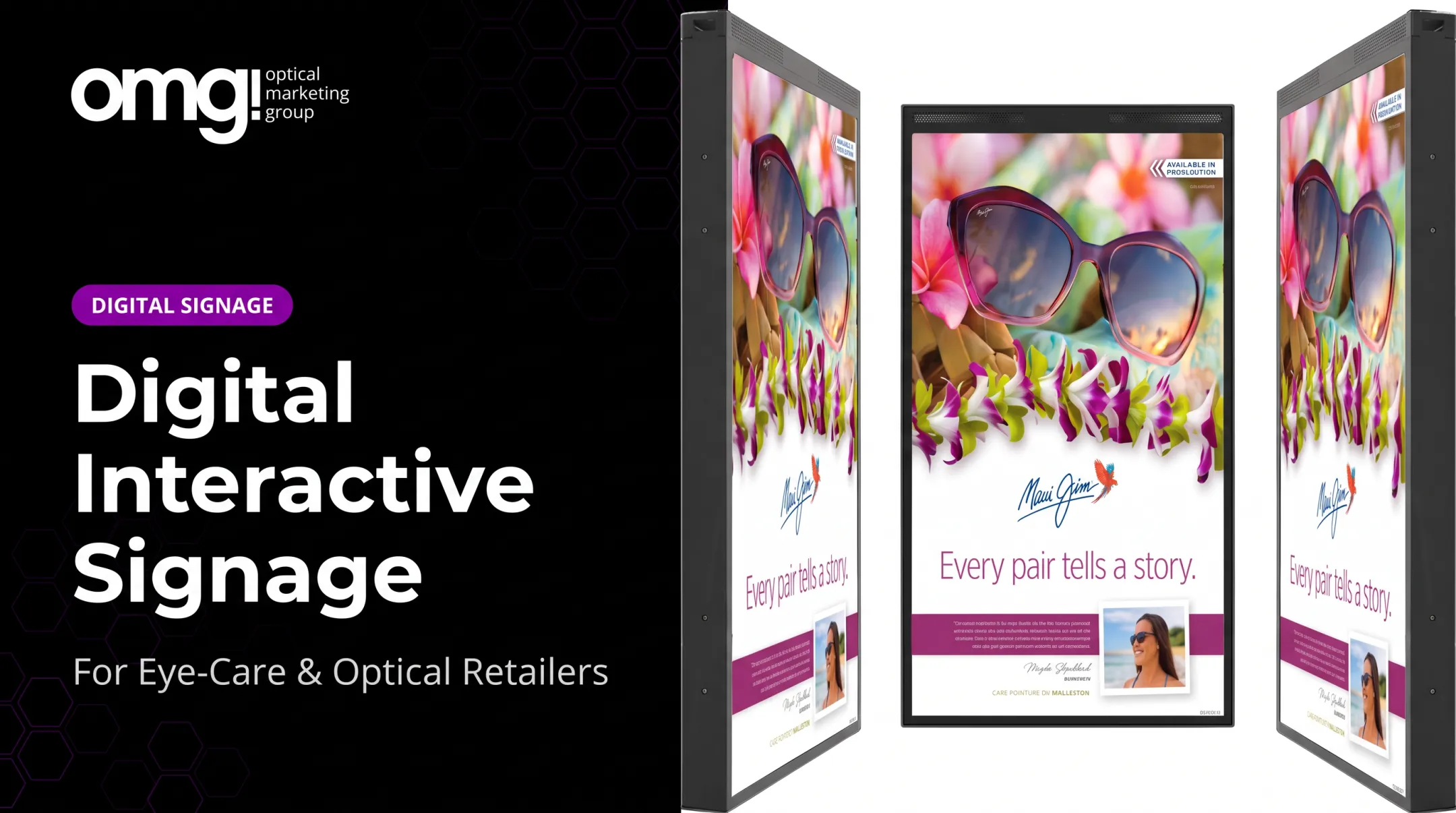
OMG!'s HD Series window-facing signage was built specifically for this kind of outdoor-visible, quiet-running display.
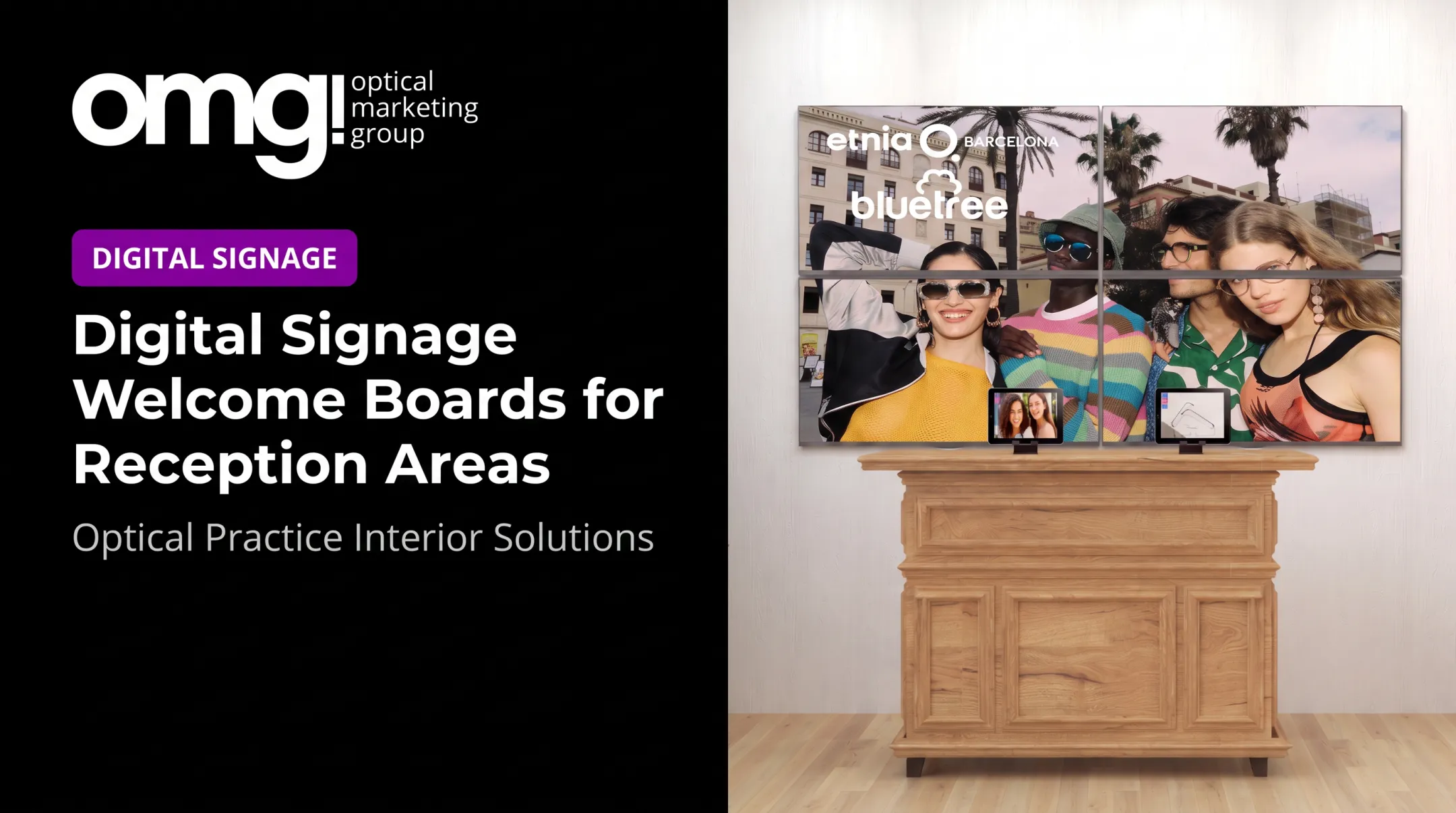
Reception and Waiting-Area Screens
This is where patients have dwell time and attention to spare. Good uses include:
- Welcome messages and appointment status
- Patient education on eye health
- Explanations of what to expect during the visit
- Light-touch product teasers that don't feel like a hard sell
One EssilorLuxottica survey of over 620 eyecare professionals found that 76% associated digital screens with a higher-quality store presentation compared to competitors without them, according to Vision Monday's 2022 report.
That's a perception finding, not a sales guarantee, but it matters for brand positioning.
Optical Floor Screens
Here's where storytelling pays off. Frame history, lens coatings, sunwear comparisons, and financing details let patients browse before they ever talk to staff.
OMG!'s "New Rules of Optical Retailing" calls this retail storytelling, and it's tied to increased multiple-pair purchases. A 15-inch Interactive Retail Screen built into a display fixture works well here, letting patients explore frame and lens brands at their own pace.
Staff-Facing Dashboards
Internal screens (for daily priorities, inventory reminders, or training prompts) should stay physically and visually separate from anything patients see. Mixing staff notes with patient content is a common and avoidable mistake.
A Sample Patient Journey
Picture a mid-size practice where each screen matches the audience standing in front of it:
- Window screen promotes a seasonal sunwear collection
- Waiting area screen explains what happens during a comprehensive exam
- Optical floor screen tells the story of a new designer frame line
- Dispensing counter tablet shows lens coating comparisons
How to Design an Effective Digital Signage Dashboard
Every screen needs one audience and one objective. A waiting-room screen built for a seated patient with five minutes to spare shouldn't use the same structure as a staff screen built for a quick glance between patients.
Build a Clear Hierarchy
Each screen should have:
- One primary message
- A short supporting line of context
- A strong visual
- An obvious next step (ask a team member, scan a QR code, browse a display)
Don't leave a claim hanging. If you promote Transitions lenses, pair it with a direct call to action, like OMG!'s HD Series example: "Ask about pairing Transitions® lenses with your favorite frames." A percentage off, a limited-time offer, or an educational stat all need context: what it means, and what the viewer should do next.
Design for Passive Viewing
Patients aren't going to work to decode a crowded screen. That means:
- High contrast and legible type
- Restrained motion (motion draws attention, but overuse creates visual noise)
- Limited simultaneous messages
- Smooth, non-jarring transitions
For readability benchmarks, W3C's contrast guidelines recommend a minimum 4.5:1 contrast ratio for normal text and 3:1 for large text (18 point or larger, or 14 point bold). These are web-accessibility standards, not formal signage rules, but they're a solid starting point for any screen viewed from a distance.

Keep the Brand Consistent
Logo treatment, color palette, imagery, and tone should match the rest of the practice. OMG!'s "New Rules of Optical Retailing" opens with a simple principle: clutter is out, clean and curated is in. A refreshed practice combining digital screens with branded signage for lines like kate spade, Dior, and Giorgio Armani only works if the digital content matches that same curated feel.
Test Before You Commit
Mount the screen where it will actually live. Check readability under real lighting, at the real viewing distance, during real foot traffic. Ask staff and a handful of patients what they noticed and remembered. If nobody can recall the message five minutes later, the design needs work, not the content idea.
How to Implement and Manage a Digital Signage Dashboard
Start With a Location Audit
Before mounting anything, check:
- Sightlines and screen height
- Ambient light and glare
- Viewing distance and patient flow
- Power and network access
- How the screen will sit alongside existing fixtures
Map Content to Zones and Moments
Not everything needs to be "live." Decide what's:
- Always-on: practice branding, logo, hours
- Scheduled: time-of-day offers, morning versus afternoon messaging
- Rotated in a playlist: seasonal campaigns, frame features
- Event-triggered: a promotion tied to a specific campaign launch
Assign Ownership
Clear roles keep content accurate and current:
- Own design and creative updates
- Approve clinical or product claims
- Publish content and retire outdated assets
The Digital Signage Federation treats content creation as ongoing work, not a one-time setup. Practices should budget time the same way.
Set a Realistic Refresh Cadence
There's no universal rule here. A reasonable approach:
- Update pricing and offers immediately when they change
- Review educational content quarterly
- Refresh seasonal campaigns each season
- Build in expiry dates so nothing stale lingers for months
Monitor and Maintain
Remote preview, device status checks, and an escalation plan for offline screens all matter more once you have multiple locations running signage. A screen that's been frozen on the same frame for three weeks does more harm than no screen at all.
Practices adding in-store digital signage can evaluate Contentlinq, offered by OMG! as hardware plus a subscription-based content management platform. The final setup (screen size, mounting, subscription tier) should match the practice's goals, locations, and technical requirements rather than a generic package.
Hardware, Software, Security, and Privacy Considerations
What to Evaluate in a Display
Not every screen belongs in every spot. Consider:
- Brightness for the operating environment (window-facing screens need far higher nits than an indoor waiting room)
- Portrait or landscape support
- Resolution and mounting compatibility
- Warranty length
- Compatibility with your chosen signage software
For reference, OMG!'s HD550 panel runs at 2,500 cd/m² default brightness (with options up to 5,000 cd/m²), supports 24-hour operation, and carries a standard 12-month warranty.

Software Capabilities Worth Comparing
| Capability | Why it matters |
|---|---|
| Centralized publishing | Update multiple screens from one place |
| Scheduling and playlists | Control what plays and when |
| Remote monitoring | Catch offline or frozen screens early |
| Analytics | Track engagement and impressions |
| Offline playback | Keep content running during network drops |
Contentlinq's analytics dashboard, for example, tracks user engagement and face views, giving practices a rough sense of whether content is actually landing.
Privacy Basics for Optical Practices
This is where optical signage differs from retail signage generally. Practices handle protected health information, and screens visible to patients and visitors need a conservative approach:
- Never display identifiable patient information or appointment details
- Avoid unverified clinical claims
- Keep internal performance data off patient-facing screens
- Use role-based access and strong authentication for anyone managing content
If a signage vendor's cloud platform ever touches protected health information, that vendor may need to be treated as a business associate under HIPAA, according to HHS's cloud computing guidance.
For most practices, the simplest path is keeping signage content entirely public-facing (promotions, education, and branding) and leaving patient-specific data out of the equation altogether.
Pilot Before You Scale
Test on one or two screens first. Confirm network stability, readability, staff adoption, and maintenance routines before expanding to every location. It's far cheaper to fix a mounting mistake on one screen than on fifteen.
Frequently Asked Questions
What is a signage display?
A signage display is the physical screen used to show information, promotions, directions, or education. Unlike printed signage, it can update remotely and rotate multiple messages.
What is a digital signage dashboard?
It can mean the software used to manage screen content, or the visual layout shown on the screen itself. The right meaning depends on context.
What should an optical practice display on a digital signage dashboard?
Frame and lens education, product discovery content, practice messaging, promotions, and clear calls to action, each tailored to the specific screen's location and audience.
How do digital signage dashboards work?
Content gets uploaded through signage software, scheduled for specific times or screens, and delivered to a media player or built-in system connected to the display over a network.
What hardware is needed for a digital signage dashboard?
A compatible display (or a media player paired with an existing TV), mounting hardware, power, network access, and signage software to manage content.
How can practices keep digital signage content secure and up to date?
Assign a content owner, use role-based access and strong authentication, review content on a set schedule, and check for privacy issues before anything patient-facing goes live.